

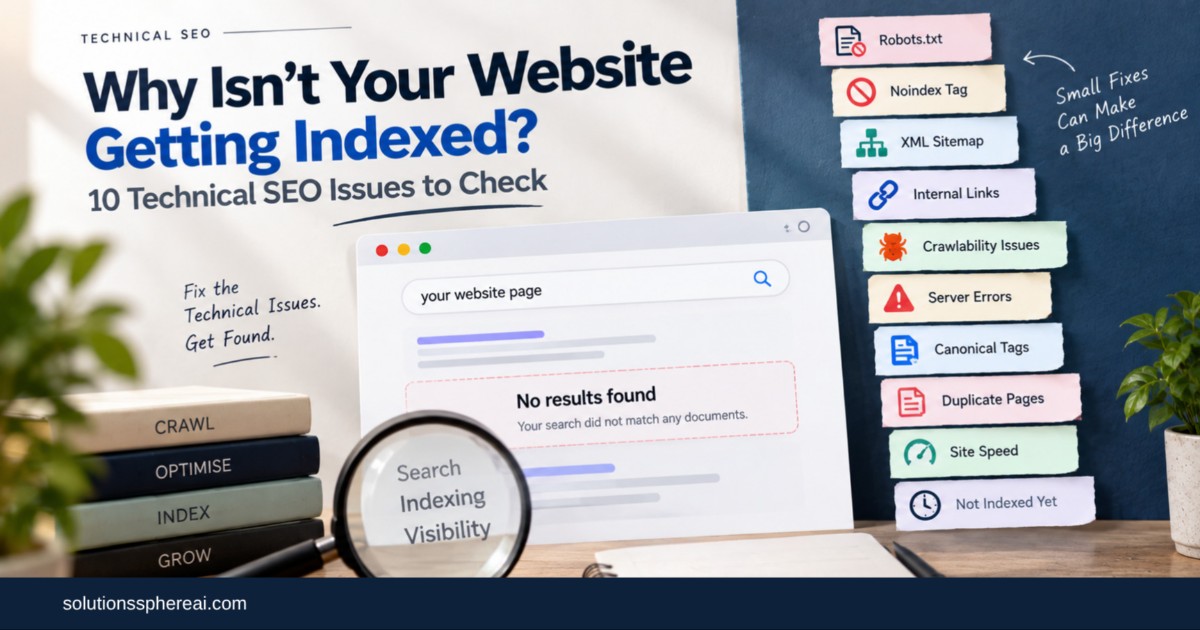
If you’re not ranking in Google then your content might not be the issue. There may be some technical issues that are stopping Google from crawling and indexing your website . These include blocked pages, no index tags, sitemap errors, bad internal linking, wrong canonical tags, duplicate pages, server issues, and slow site speed. Fixing these issues will ensure your important pages can be found and in turn rank in Google search. A Proper technical SEO audit helps find these problems and prioritize fixes that are important for businesses.
1. The Page is Being Blocked by Robots.txt
The robots.txt file tells search engines’ crawlers where they can crawl on your site. If you make a mistake here, Google may not crawl your important pages. This is often the case after website development, migrations or redesigns when temporary restrictions are left in place by mistake. Make sure important pages and directories are not blocked unnecessarily.
2. No index Tag Is Preventing Indexing
A no index directive instructs Google not to index a page. This is helpful for pages like internal search results or some duplicate pages, but it becomes a problem when it is accidentally added to an important blog, service or product page. If the URL isn't showing up in search as a valuable one, check the page's robots settings.
3. Your XML Sitemap doesn’t work
XML sitemap helps search engines find the important pages on your site. But it should be clean, indexable URLs, not broken pages, redirects or URLs with noindex tags. Keep your sitemap up-to-date and submit it to Google Search Console so Google knows how to get to your important pages.
4. Important Pages No internal links
You can have a page on your website that Google can’t easily find. If you don’t link to an important page very often within your own site, search engines may have trouble trying to figure out that it’s important and finding it. Link new content to relevant existing pages, and link related pages naturally within your website.
5. Your site has crawlability issues
Broken links, redirect chains, complex URLs and server errors can make for unnecessary crawling difficulty. Larger sites can also waste time crawling low value or duplicate URLs for Google. A technical SEO crawl can help find these issues and show you where search engines may be struggling.
This is one of the reasons why businesses often hire a Technical SEO company rather than just relying on content optimization. Technical SEO is not only about what visitors see on the page, it’s also about what happens behind the scenes.
6. Your pages are erroring out
For most important pages, you want to have a successful 200 status code. Google may not be able to process your page correctly if it returns a 404, a 5xx server error, or an incorrect redirect. Audit Important URLs – Especially After a Redesign or Migration Make sure that old URLs are properly redirected when pages have moved.
7. You have incorrect canonical tags.
Canonical tags tell search engines which is the preferred URL version of a page. You have an important page that accidentally has a canonical pointing to some other URL. Instead Google could decide to index the other URL. If you are having issues with pages not rendering correctly make sure your canonical tags are set up correctly.
8. You Have Too Many Duplicate Pages
More pages doesn't necessarily mean more traffic. Occasionally, websites may generate hundreds of similar pages through filters, location variants, or auto-generated URLs. If these pages don’t have much unique value, Google may choose not to index them. Create useful pages that are providing genuinely different information.
9. Your Website Is Slow or Not Working
Google doesn't automatically exclude slow sites, but serious performance and server problems can make crawling more difficult. Check your hosting and server response times, large images, scripts, caching and Core Web Vitals Improving performance can also make the website much easier and more fun to use for visitors.
10. The Page Just Hasn't Been Indexed By Google
Not every indexing delay indicates something is broken. Sometimes it can take a little while for new pages to be found and processed, especially on newer or less established sites. Google Search Console’s URL Inspection tool can tell you if Google has found the page and if there are any specific problems.
To Sum It Up
If a page isn’t showing up in Google don’t just assume you need more keywords or more content. First, check if Google can crawl and index the page at all.
At SolutionsSphereAI (SSAI) we help businesses find and fix technical SEO problems, as well as improve their content, website structure and overall search strategy. It is our strategy to make a technically sound website that can be found, understood and discovered by the right audience.
Indexing can be affected by robots.txt restrictions, noindex tags, sitemap errors, weak internal linking, incorrect canonicals, server errors and duplicate pages. SSAI believes fixing these problems gives your content a much stronger technical foundation and makes it easier for search engines to find the pages that are important.
If you are a business looking for Technical SEO Services Bengaluru, don’t just focus on finding the errors. A solid technical SEO audit should identify which issues are actually impacting crawling, indexing and organic visibility, and prioritize the fixes that will have the biggest impact.